显示标签为“3d filament”的博文。显示所有博文

2020年11月9日星期一

Aliexpress 11.11 Big Sale Has Up To 74% Off With Further Reductions For Two Days Only

Double Eleven (11.11) is the biggest sales event in the world of online shopping.Are you ready?Looking to maximise your savings this 11.11 Singles Day? Here’s a list of Geeetech products for 11.11 on Aliexpress with amazing campaigns full of special deals including 74% Off discount, $2.00 coupon with no other required conditions and so forth.You can also save $8 on every $150!This shocking promotion comes only once a year and you simply can’t miss out!

Our 11.11 Sale Is Here! Are You Ready For It? 

Promotion for 3D printers,up to 35% off with $2.00 coupon,starting from $176. The max discount is as high as $100! Don't miss this sale!

Promotion for important 3D parts and other Geeetech products,up to 75% off with $2.00 coupon,starting from $1.01.

PLA filaments enjoy multiple discounts:

  • Buy 2 get 10% off;
  • Buy 3 get 15% off;
  • Buy 5 get 20% off.

Up to 25% off with $2.00 coupon,starting from $1.99.

Further Reductions:

  • $60 off over US $499;
  • $37 off over US $166;
  • $10 off over US $270;
  • $8 off over every US $150.

They can be combined with other discounts.

Activity time: US time 11/11/2020-12/11/2020

Shop address:

https://geeetech.aliexpress.com/store/110623/pages/promotion-20201111.html

https://geeetechglobal.aliexpress.com/store/1415075/pages/promotion-20201111.html

Add the shopping cart now!

2020年10月28日星期三

Halloween Deals Hot Now: Huge Discount on Geeetech Amazon Stores

 If you’re the kind of person who waits for special days to get a good deal, now’s the time to start hunting!


Halloween is around the corner.However,you may choose to celebrate safely at home because of the ongoing COVID-19 pandemic.So why not spend your time with your favorite 3D printers?

Look at these great 3D printers and filaments for some holiday fun on the cheap.Now we offered deep discounts on our Amazon products.The Promotion for 3D printers,up to 20% off with extra coupon,starting from 135.20€ .We have multicoloured filaments to choose from in addition to the basic black and white filaments,up to 45%off,starting from 15.69€.Hurry up and buy!

The coupon shown on the Amazon product page is available to everyone and can be superimposed upon the discount. You can get around 20% off on the total price on some items.

  • Five countries in Europe:
  • Duration:Oct.26.2020-Nov.1.2020
  • pro B,pro W:5%off
  • A10,A20:20%off
  • PLA:15%off(Silk PLA/Grow in dark filament)

2020年10月8日星期四

5 Easy Ways to Prevent 3D Print Stringing

without a doubt,you can’t bear some minor flaws in the face of a 3d printing model, let alone “String”.You complained that this printer is such a trash Contrary to expectations.At that time,You may get mad but it will eventually ending up in a mess. 

So firstly you need to calm down.Take a close look at what the problem is,make it clear that how it happened and how we can solve the problem.Let’s dive in.

What’s the Problem?

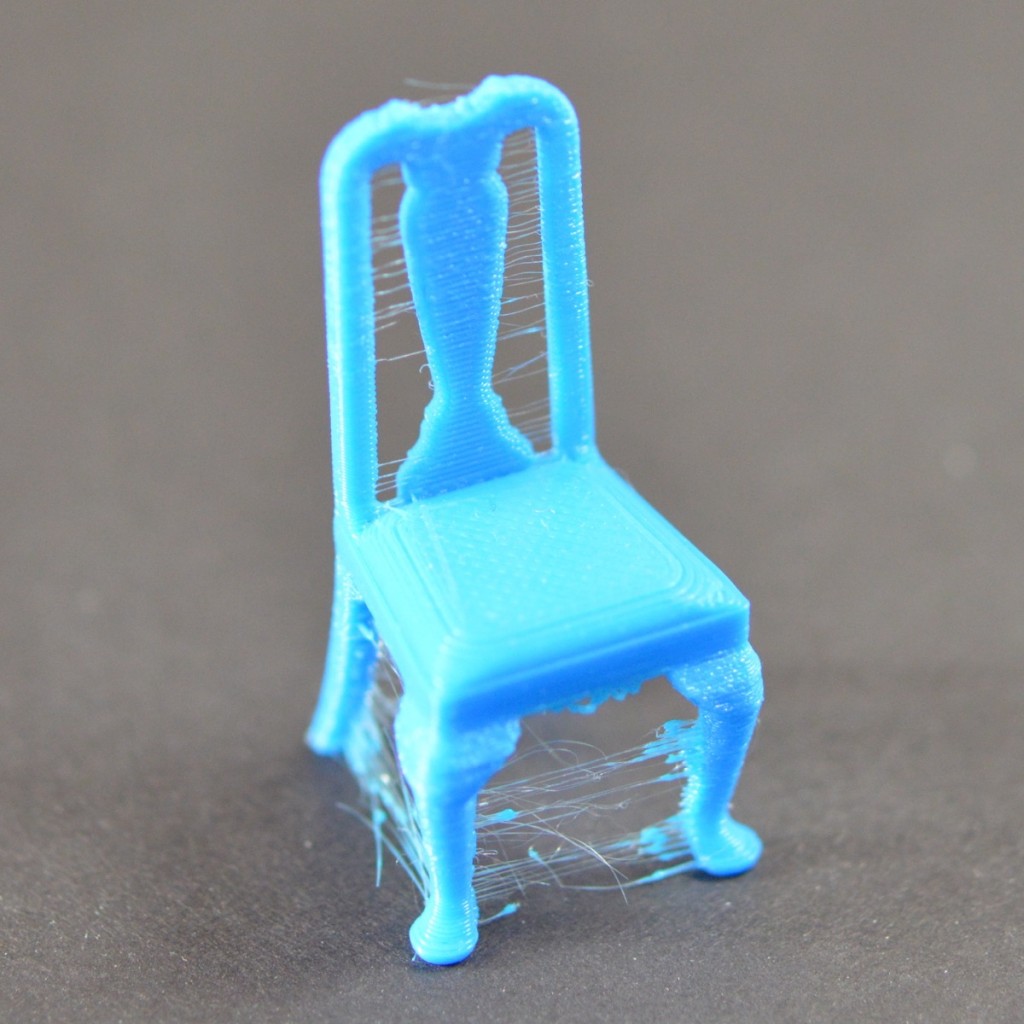
Stringing exists when small strings of plastic are left behind on a 3D printed model. This is usually due to plastic leaking out of the nozzle as the extruder moves to a new position.

Finished print affected by stringing

How to fix this

In this article, we’re going to look at 5 Solutions that are common to all the major 3D printers.

1.Enable Retraction

Enabling retraction is the most ordinary way used to fight against 3D printer stringing. Enabling retraction means that means that when the extruder has to pass through a gap, the filament is retracted a little bit by the feeder.Once the extruder reaches the next position, the filament is pushed out and the print continues again from the nozzle.If the retraction setting is turned on and you’re still experiencing 3D printer stringing, you may then need to go into the details of the retraction settings:

  • Retraction distance

The most important retraction setting is the retraction distance. This determines how much plastic is pulled out of the nozzle. Generally speaking, the more plastic that is retracted from the nozzle, the less likely the nozzle is to seep out as it moves. Most direct-drive extruders only require a retraction distance of 0.5-2.0mm. If you run into stringing with your prints, try increasing the retraction distance by 1mm and test again to see if the performance improves.

  • Retraction speed

The next retraction setting that you should check is the retraction speed. This determines how fast the filament is retracted from the nozzle.If the retraction is too slow,the plastic will slowly leak out of the nozzle and may begin to leak before the extruder moves to its new position. If you retract too quickly, the filament may separate from the hot plastic inside the nozzle, or the rapid movement of the drive gear may even grind away pieces of your filament. There is usually an optimal point of retraction between 1200-6000 mm/min (20-100 mm/s) .

If standard retraction isn’t doing the trick, try reducing the minimum travel. This is usually the quickest solution to fix stringing issues. Drop the value by 0.5mm until the stringing has stopped completely.

2.Set the Right Temperature

The extruder temperature is the next most common cause for stringing.If the temperature is too high, the plastic inside the nozzle will become less sticky and more likely to leak out. Whereas, if the temperature is too low, the plastic will be kind of solid and difficulty in extruding from the nozzle. If you feel you have the right retraction settings, but you’re still having these problems, try decreasing your extruder temperature by 5-10 degrees. This will greatly improve the quality of your printing.

3.Movement Speed

Moreover,increasing the movement speed of your machine can also reduces the time it takes for the extruder to leak as it moves between parts. The X/Y Axis Movement Speed represents the side-to-side travel speed, and is frequently directly related to the amount of time your extruder spends moving over open air.As long as your machine can handle moving at higher speeds, increasing this settings may reduce stringing between parts.

4.Thoroughly Clean the Nozzle Before Printing

When you use a printer for a long time, the filament can leave a thin layer of residue in the nozzle. This thin layer can cause 3D printer stringing as filament strands will try to stick to the surface of your printed part.

To avoid this type of problem, ensure your nozzle is thoroughly cleaned before any printing to remove any dirt from the previous filaments.

5.Keep Your Filaments Moisture-Free

PLA, which absorbs more water than ABS, is the main culprit.The water turns to steam when the plastic is heated up, and it can mix with the plastic to increase the likelihood that it will seep out during non-printing movements.

Therefore, it is very important to store the filament properly, especially if you live in a humid environment.For more guidance, check out the previous blog here:https://www.geeetech.com/blog/2020/09/3d-printer-filament-storage-how-is-it-done-properly/

Source:

https://www.simplify3d.com/support/print-quality-troubleshooting/stringing-or-oozing/

https://all3dp.com/2/3d-print-stringing-easy-ways-to-prevent-it/

https://technologyoutlet.co.uk/blogs/news/the-most-common-3d-printing-problems-with-solutions

2020年9月24日星期四

3D Printer Filament Storage – How Is It Done Properly?

 If you have moisture and mold in your home, you’re more likely to have respiratory problems, allergies and weak immune system.When you know the cause of the moisture, you can take steps to limit the moisture in the air.

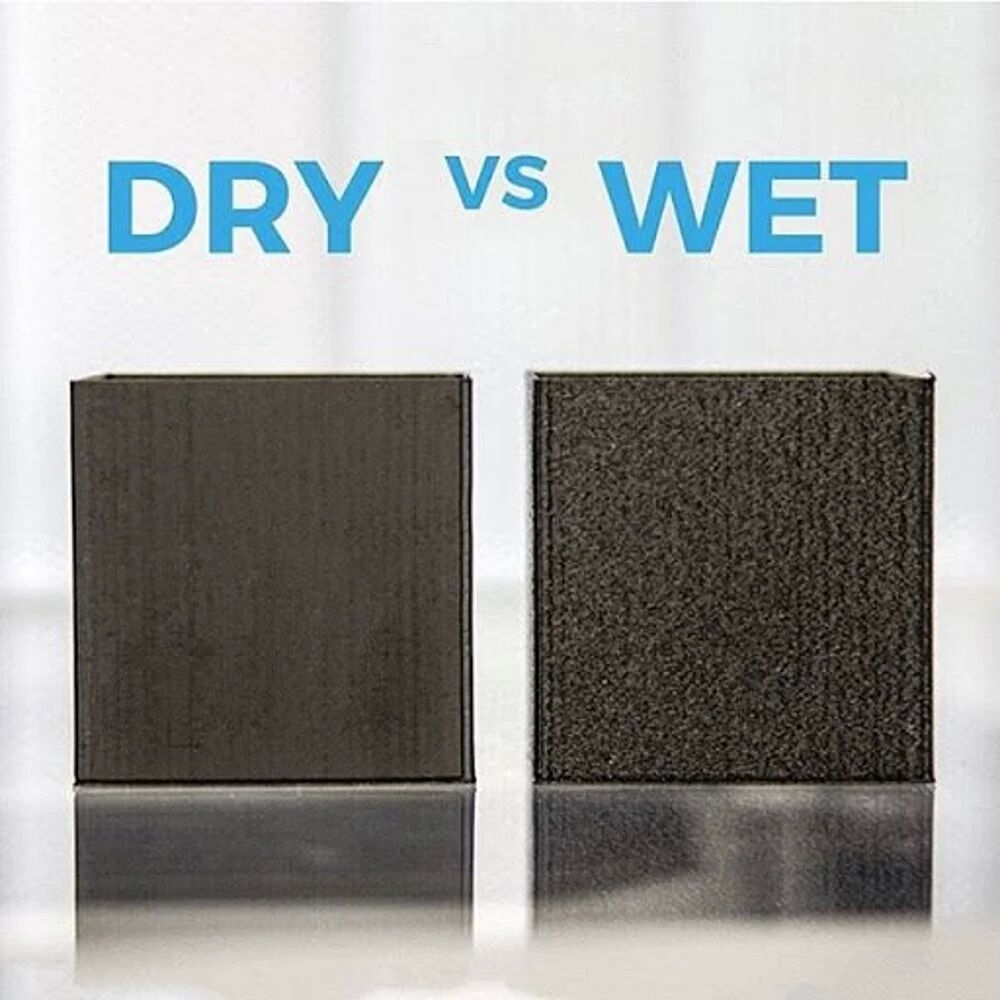
Likewise, humidity is a natural enemy of filaments.Some materials have no humidity problem.Others, such as PVA or nylon, are very hygroscopic and absorb water after a very short time.The wet filament sizzles and is easy to recognize during printing, and the results are terrible.

Therefore, it is particularly important to store filaments spools carefully and correctly.

A comparison of dry vs wet filament. Source: Matterhackers

Why Water Damages Thermoplastics

All plastics are polymers or copolymers. you’ll see that the long molecular strands that make up them are woven together when you look at polymers or copolymers under a high-intensity microscope,That means there’s plenty of space between and around the strands.Thererfore, most polymers and copolymers are hygroscopic.Some filament materials, such as Nylon, are very sensitive to water .If  they absorb only a little water, they can cause problems when printing.

How To Keep Your 3D Printer Filament Dry

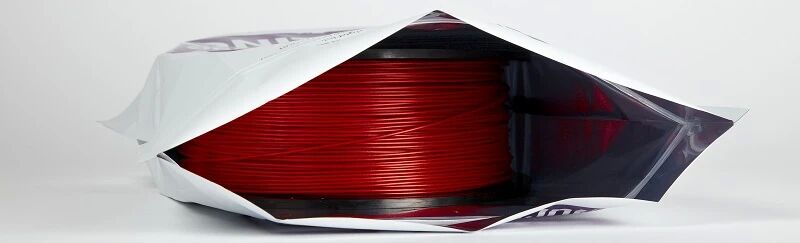
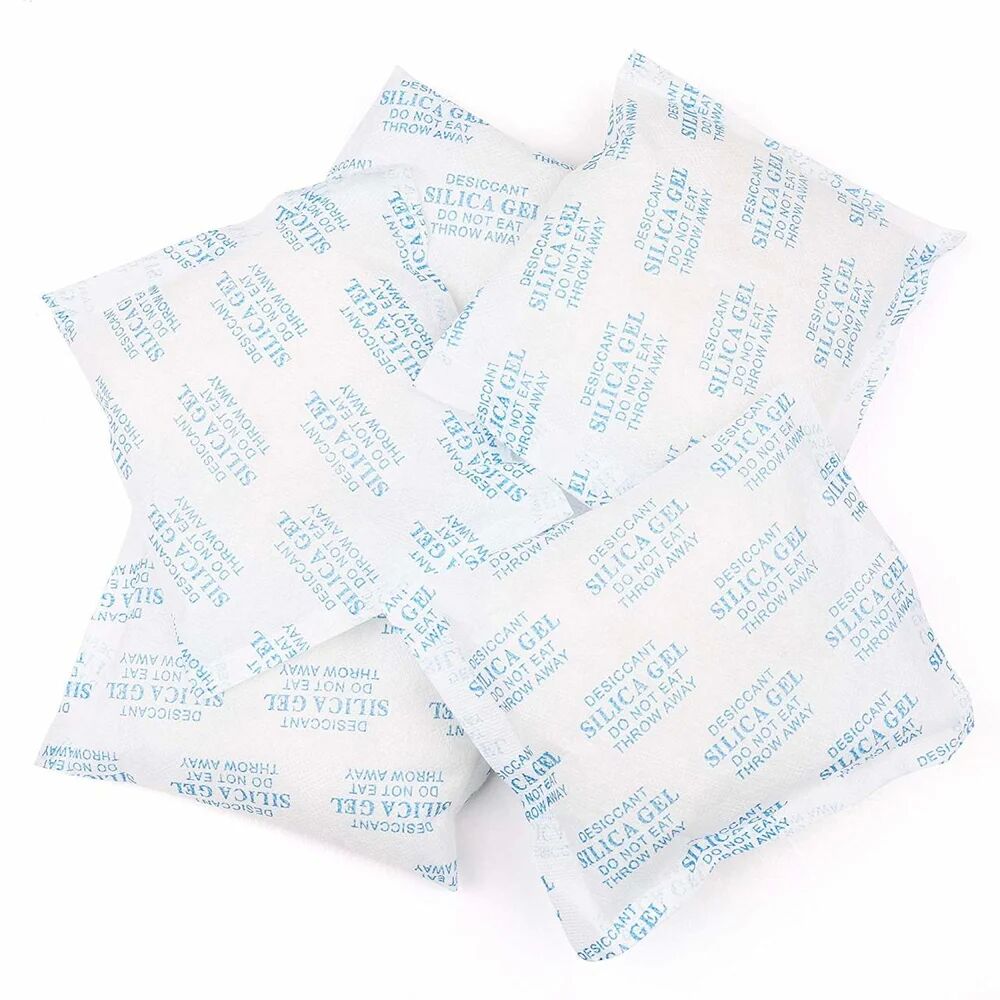
Storing your filament in an airtight container with a desiccant is the easiest way to settle this issue.Filament dry boxes work well, but they can be bulky.

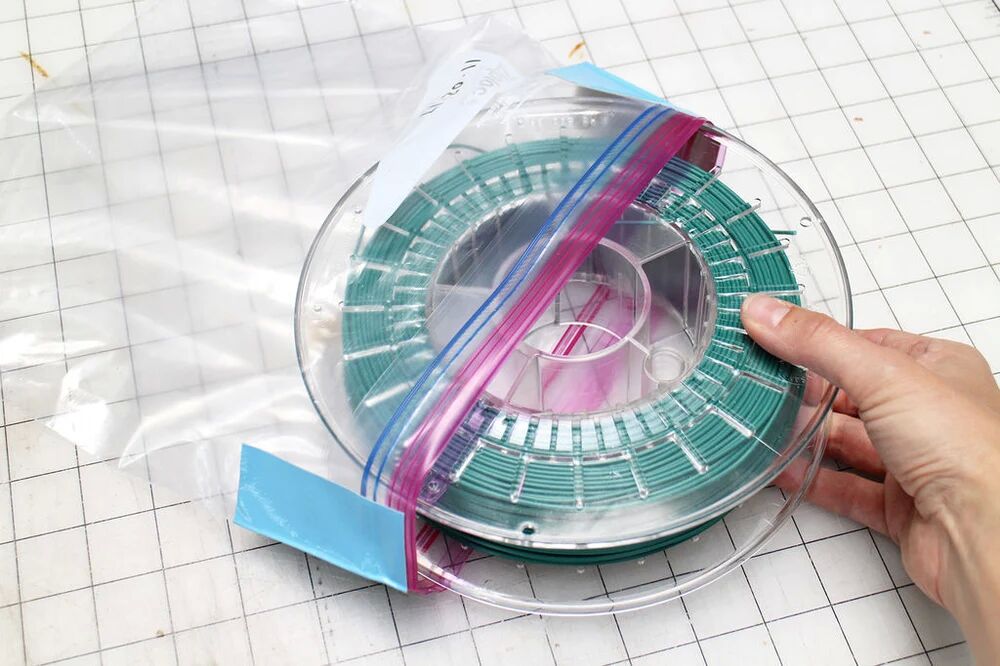
when it comes to airtight,most people think of plastic containers and bags.For the most part, these are good short-term solutions.

This is the cheapest way to store filament spools. Source: Paige Russell / Instructables

Nevertheless, over time, plastic containers and bags become slightly permeable.This means that the longer your printing materials stay in plastic bags, the more water they absorb, .especially when you live in a humid climate. .If you use a clear bag or box, UV light will also reduce the strength of the filament over time.

Using high-quality Mylar bags or bags made of similar materials is a better solution is to store your thermoplastic.Obviously, there is a layer of metal between two layers of plastic.

This metal layer protects your printing material from any water vapor that permeates the plastic.So that your printing material produces a satisfactory result.

Mylar bags protect your printing material from water vapor.Source: rigid.ink
Desiccant packets keep the humidity in the containers to a minimum. Source: Amazon

How You Know Your Printing Material Has Absorbed Water

Before printing, there are two simple ways to determine if your material is absorbing water.First, you can measure the diameter of the material itself.when a polymer absorbs water, it begins to grow in size.If the diameter of the filament increases by 10 percent or more, it most likely absorbs water.

Another way to determine whether a filament absorbs water is to extrude a small amount of filament before printing.We’ve all probably been there: sitting by a fire, listening to its crackle.This is because the water in the wood is changed into steam when heated.The same phenomenon occurs when you extrude thermoplastic that has absorbed water.The heat from the print end causes the water in the plastic to expand and escape.You can hear hissing or popping and also see bubbles.

How to Dry Out Filament

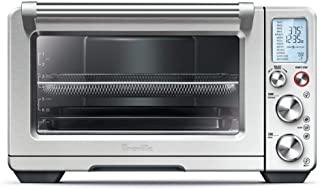
If your filament is wet, you must dry it out before using it to print.Why not use an oven?

Once the oven it up to temperature, place the spooled material inside.Source: Amazon

In the first place, check out the glass transition temperature for the filament that you are going to dry.You need to be sure that you keep your oven temperature below the transition temperature. In a general way , about 60-70C is just about right for most materials, except may be a bit hot for lower temp materials like PLA. Always keep in mind how hot your oven runs and only use electric ovens.

You should also be aware, even if the Glass Transition temp is very high, for a material like Nylon or Polycarbonate – the spool your filament is wound on is likely made from an ABS which will soften at lower temperatures than the filament. 

How to dry PLA filament

You ought to be more careful when you dry PLA filament on account that 70C will be too hot. We recommend at the very lowest temp your oven will go around 40C. Even at this temp your PLA will soften, so drying PLA in the oven won’t always give you the results you’re after. It’s a small reminder as to the importance of keeping excellent PLA storage. 

Once the oven it up to temperature, place the spooled material inside and leave it there for four to six hours. If you have a convection oven, this drying time may be shortened since the circulated air removes more moisture from the material more quickly.You can also ‘recharge’ the desiccant this way too, placing it in the oven over a low heat. 

Once the time is up, remove the material from the oven, allow it to cool and place it into a water impermeable container or bag along with desiccants. Make sure that the container or bag is completely sealed.

Any material that you have oven-dried is slightly more brittle than normal.Remember,Handle the material with care.Only then can you achieve the superior results with your properly dry print material.

Source:

https://all3dp.com/2/filament-spool-8-ways-to-safely-store-your-filament/

https://rigid.ink/blogs/news/how-to-dry-your-filament?_pos=30&_sid=f8cdf3be6&_ss=r

2020年9月22日星期二

Save 50 GBP/EUR at Geeetech A20 3D Printer Savings Event!

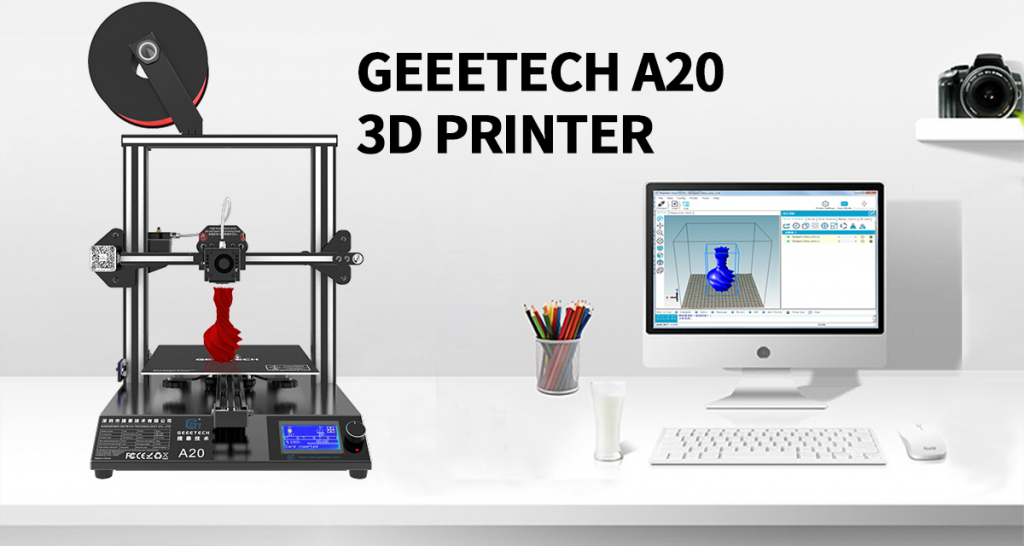
When Mary is at a loss for a printer with complicated components, she wants one that is cost-effective and easy-to-assemble, so she can have a much better experience.If you’re faced with a same problem like Mary’s.Don’t worry!Geeetech A20 3D Printer is a perfect solution.

Geeetech A20 3D Printer

Choosing a 3D printer is not an easy task, especially for beginners. Based on customers’ feedback, Geeetech A20 3D printer with a larger printing platform than A10,is designed to be reliable, user-friendly and affordable. Running stably, it delivers quality prints and provides you with satisfactory printing experience.

Its classic white and black color combo and neat structure impart a touch of simplicity and excellence.Keeping Prusa I3 3D printers’ gantry structure, its modularized design provides you with an easier assembly experience. The electronic parts are integrated into its bottom frame, making A20 steady and enhancing its print results.

Today Geeetech Amazon UK/DE/FR/IT/ES is offering discounts on Geeetech A20 3D Printer. The coupon code is available on a first-come-first-served basis while stocks last.Snap up your dream A20 3D printers now before they are sold out!The details of sales promotion are outlined below.

Details:

UK:50 GBP OFF on 200GBP 

DE/FR/IT/ES:50 EUR OFF on 220 EUR

50 GBP/EUR OFF code: GETECHA20

Coupon code valid from Sep.20,2020 until Oct. 30, 2020. By shopping with this promo code, you’ll save 50 GBP/EUR on your entire order. Click on the link and you will be directed to the corresponding sales page.


UK:https://amzn.to/2wbgmQy
DE:https://amzn.to/3fTyNuz
FR:https://amzn.to/30nouK3
IT:https://amzn.to/3bK3QaZ
ES:https://amzn.to/3kqWaNW

2020年9月21日星期一

3D Printed Fashion is About to Go Mainstream

3d printing made a big splash when it first came out and it seemed like everybody's desk were adorned with plastic toys.3D printing has rapidly found its way into almost every aspect of our modern world, being used to make parts for cars,planes and clothes.Today’s 3D printing technologies are advanced enough to easily produce shoes,soles and jewelry, but it’s still hard to print a dress or a jacket. In most cases,  3D printing is used for producing non-flexible parts. Despite the challenges of 3D-printed fashion, designers and engineers have overcome many to create some wildest designs.I will tell you how 3d printed fashion is going to be a game-changer.let's start with.


Example #1:

3D Printed Dress and Jacket


A dress entirely 3D printed at the Met Gala 2019


The dress, named Rose, was certainly the centerpiece of the collection presented at the Met Gala.The garment was worn by model Jourdan Dunn, consists of 21 3D-printed rose petals – each petal measures 53 cm and weighs 0.4 kilos.They were produced on a SLA 3D printer  the process was managed by Protolabs’ 3D printing department.Each petal includes a coat of primer and a coat of chameleon-effect automotive paint.Besides, the dress is modular: petals (up to 37 in all) can be added to increase the length of the dress.


Ministry of Supply -- Jacket Without Seams


In 2016, Ministry of Supply released a 3D-printed jacket for $250 that quickly sold out.Because the jacket is 3D-printed, it has no seams, which makes it very comfortable to wear.Although it has no seams, the garment still has joints to fit the outline of the body.

The jacket was made on a 3D robotic knitting machine, a process that uses less material than traditional knitting.It’s thought that using traditional methods wastes 15-30% of the material.


Example #2:

3D printed accessories

 
Source: n-e-r-v-o-u-s.com


Every day, more and more jewelers are using 3D printing to produce rings, bracelets, necklaces and similar products.

What you see above is a sterling silver bracelet that mimics patterns found in nature.The maker, Nervous System, first 3D printed the model in wax and then cast it in pure silver.

3D printing enters the watchmaking arena. Source: Sculpteo


Metal 3D printing is a perfect technology for watchmakers, both for prototyping and production of end-use pieces.

The Lo Scienziato timepiece from Panerai uses a fully 3D-printed titanium housing made by direct metal laser sintering (DMLS).If you want to see the Panerai on your wrist, you'll have to pay up to $170,000. 

 
Katie Holmes wearing the 3D printed neck accessory | Photo credits: Theo Wargo / WireImage


 The actress Katie Holmes wore a 3D-printed collar produced with resin machine on her dress. It represents pearly purple palm leaves and required 56 hours of 3D printing and finishing.

VIP TIE is an Italian company known for its 3D-printed ties.VIP TIE combines luxury and innovative high-tech design.The whole process of making one tie can involve a complex mix of complementary procedures and materials: craftsmanship, embroidery, 3D printing, exotic leather, mother-of-pearl, carbon fiber, silver, gold and silver plated solid.

XYZBAG 3D printed bags


 XYZ Bag is an Italian brand behind the Dada collection of customizable 3D printed handbags. Each bag is connected by a leather strap and a 3D-printed outer shell with a fabric lining.For each bag, the customer has to choose between several design options based on 3 different products.Once the model is selected, it is designed in CAD software.

The company uses SLS technology to make components, although they have recently integrated the one developed by HP, Multi Jet Fusion. These bags cost between 290 and 330 euros, which is quite expensive, but also reasonable for 3D printing products.


Example #3:

3D printed footwear

 
Adidas Futurecraft 4D sneakers Source: CNBC


The big companies in the shoe industry have been developing solutions for mass customization for years.Not only does 3D printing allow these companies to prototype faster, it's also a great solution for mass customization.

Companies in this field, including Adidas and New Balance, have started producing 3D-printed midsoles .Nike, meanwhile, is experimenting with 3D-printed “uppers”.

Annie Foo’s 3D printed shoes


Annie Foo is a high-end footwear designer who uses 3D printing technologies in her manufacturing process.She explained that she has always been so obsessed with the combination of existing footwear manufacturing methods with modern technologies and materials to create something new.She uses 3D modeling software to design complex shapes to make her shoes look more aesthetically pleasing.Her final works for the runway were made with HP’s Jet Fusion 4200 machine, using PA12 (nylon).


Reference:

https://all3dp.com/2/3d-printed-fashion-3d-printed-dress/

https://all3dp.com/2/3d-printed-fashion-the-state-of-the-art-in-2019/

https://www.3dnatives.com/en/met-gala-2019-dresses-100520194/#!

https://www.3dnatives.com/en/3d-printing-fashion-designs150620174/#!

Watch These Bionic 3D -Printed Coral Lamps

  It’s one thing to create attractive and functional light fixture, and quite another thing to make a stunning light using algorithms that c...